INTRO
Timesheet
UX Challenge
Business issues
Teams fail to complete work in estimated time
Customers are paid hourly/daily/ per project
Senior management loves dashboards and KPIs
Timesheet should seamlessly connect with existing systems
Challenges
Some teams are comfortable with hourly billing, others are allergic to timesheets
Some staff do particular work, others move across internal/external projects
DISCOVER
Background Research
Existing Timesheet Solutions
Type of Tracking
Features
Platforms

Automatic & Manual
Time Tracking, Project Management, PTO, Integrations
Windows, Mac, iOS, Android
Automatic
GPS tracking, Overtime calculation, Multiple login options, Automatic breaks
Windows, Mac, iOS, Android
Automatic
Real-time tracking, Kanban boards, Project Management
Windows, Mac, iOS, Android, Linux

TMETRIC
Automatic & Manual
Time tracking, Reporting, Team/Personal dashboards, Work schedules, PTO, Intergrations
Windows, Mac, iOS, Android, Linux, Browser Extensions
Timesheet Apps Design Guidelines
System Compatibility
A timesheet app should be compatible with the different operating systems employees use, both desktop and mobile.
Simplified Representation of Information
A timesheet app should provide daily / weekly / monthly / project-based / department-based filters and other visualisations to represent the data.
Methods of Entering Data
A timesheet app should be flexible enough to allow logging time from web portals, mobile devices, desktop apps, etc.
Manager Updates and Approval
A timesheet app should deliver real-time updates and approval requests to managers, allowing them visibility over their direct reports.
Integration with Other Apps
A timesheet app should seamlessly integrate with as many internal tools as possible and allow exporting data to other systems.
Access Control
A timesheet app should allow visibility on a need-to-know basis. Employees should only have access to their own schedule and to that of people they collaborate with.
Intrusiveness Awareness
A timesheet app should collect and display data on a need-to-know basis. Too much employee monitoring can raise concerns and become stressful.
Value Creation
A timesheet app must emphasise its ability to generate value for both the company and its staff. If employees don't perceive a benefit in utilising the app, they won’t be motivated to adopt it.
Semi-structured Interviews
Who?
Employees in Different Teams
Both people used to hourly billing and people resistant to timesheets. Enquire about their work routines, time tracking habits, challenges.
Contractors
They may have unique perspectives on time tracking, billing, and potentially already have experience with timesheets.
Managers and Team Leads
Find out about how they track their team's progress and performance, what KPIs they look at, and what challenges they face.
HR and Accounting Staff
Gather insights into logistical aspects such as billing and PTO management. Find out how timesheets would work with their internal tools.
Senior Management
Understand senior management's expectations, their priorities, what kind of data and which KPIs they want more visibility over.
How many?
Goal
Gather enough insights to effectively inform the design process.
Rule of Thumb
5 to 10 interviews
Factors
Diversity of roles, Timing constraints, Thematic Saturation
Conclusion
3 interviews per stakeholder category, review emerging themes, and decide on potential second round
What?
Could you walk me through your work routine, including how you monitor your time and assignments? What techniques or tools do you use, if any?
What difficulties do you have when it comes to monitoring your working hours or filling out timesheets?
Are there any worries you have regarding the introduction of a timesheet system within the company?
Which KPIs or indicators should be prioritized on a time and project management dashboard?
How do you currently manage shifting between various projects or tasks, particularly those billed differently?
DEFINE
Thematic Analysis
Emerging Themes
User-Friendly and Agile Design
The timesheet system must be easy to use, efficient, flexible for different work styles, and aimed at reducing administrative workload.
Data-Driven Decision Making
Senior management requires clear dashboards that offer actionable insights into project progress, distribution of resources, and billing.
Integration and Connectivity
Employees prefer to not interrupt their flow of work to fill out their timesheet, but to have it integrated into their work tools.
Reluctance and User Adoption
Several employees see timesheets as a hinderance to their agile practices. They have difficulty recognising their value and consider them invasive.
Problem Definition
Design a user-friendly and adaptable timesheet system that addresses the diverse needs of teams and stakeholders within the organisation, enhances data-driven decision-making, and seamlessly integrates with existing systems.
Persona Creation

Background
Sarah is a software engineer. She's been with the company for three years and has experience in both hourly billing projects and agile development. She values flexibility in her work and prefers agile methodologies for most projects.
Goals
Wants her workflow to not be disturbed.
Wants to focus on coding. Every other task is auxiliary.
Wants to keep her own agile work style, not to have to learn a whole new process.
Wants more visibility over the projects she works on.
Pain Points
Has difficulty maintaining an organised record of her tasks and the time spent on each.
Finds it hard to accurately track her work hours on projects billed hourly.
Struggles with setting deadlines and has difficulty gauging the time needed for a particular task.
Motivations
Would adopt a new timesheet solution if it were efficient and easy to use.
Wants to contribute to the success of her projects by having access to real-time data and insights.
Would be more likely to adopt a new tool if it were similar to management tools she currently uses, such as Kanban and Trello.
Expectations
Needs usability and efficiency.
Wants to personalise her time tracking to fit her unique work routines.
Wants integration with project management and accounting, so her time-keeping is as easy as possible.
Would like to track her performance with data visualizations.
How-Might-We Questions
How might we…
accommodate various work styles and allow users to seamlessly switch between hourly billing and agile project tracking?
help employees make data-driven decisions and enhance their project management skills?
streamline time tracking to minimise effort and reduce the risk of errors?
motivate employees to consistently and accurately track their work hours and tasks?
help employees develop better time estimation and deadline-setting skills, improving their ability to meet project deadlines effectively?
DEVELOP
Ideation Techniques
Brainwriting
Brainstorming
Silent Ideation
Storyboarding
Worst Possible Idea
Sketching
Mind Mapping
Scenarios
Hover over a circle…
Worst Possible Idea
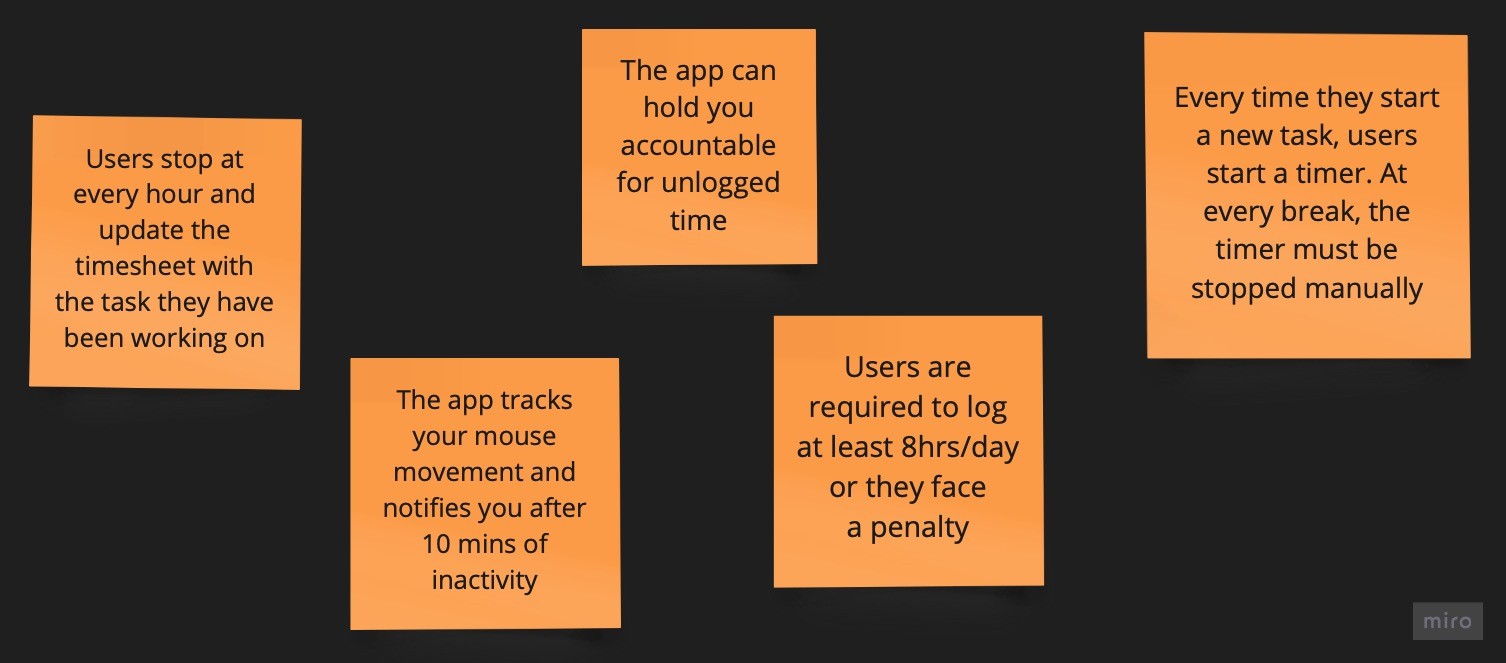
Storyboarding

Information Architecture
TRACK
Time Tracking
Tasks
Projects
Clients
REVIEW
Analytics
Reports
ADMIN
Profile
Team
Time Off
Settings
Integrations
ACCOUNTING
Invoices
Payments
Clients
HR
Manage PTO
DELIVER
Persona-Dependent Features
Platforms & Integrations
Web App
+ Browser Extension
High Priority
Plugin
for Trello, Kanban
High Priority
Desktop App
Linux, Windows, macOS
Medium Priority
Mobile App
Android, iOS
Low Priority
Browser Extension
User Testing
Usability Testing
Why
To assess efficiency, ease of use, effectiveness
When
Before app/feature launch
Key Metrics
Task Success/Abandonment Rate, Task Completion Time, Error Rate, Path Analysis, etc.
Data
Quantitative (mostly) and Qualitative
Tasks
Start a quick timer/a manual timer
Log your work hours
Request PTO
Generate a monthly report
Check how much time you have worked this week
Think-Aloud Method
Why
To gather insights into users' decision making process
When
Before app/feature launch
Key Metrics
-
Data
Qualitative
Tasks
Similar to Usability Testing
Satisfaction Surveys
Why
To gather feedback on overall satisfaction, impressions, preferences, ease of use.
When
After app/feature launch
Key Metrics
Overall satisfaction (CSAT), Satisfaction with features, UI Satisfaction, etc.
Data
Quantitative and Qualitative
Expert Evaluation
Heuristic Evaluation
Why
Cheap and Fast. Design experts review the prototype against the Usability Heuristics
When
Before app/feature launch
Key Metrics
The 10 Usability Heuristics
Data
Qualitative
Cognitive Walkthrough
Why
Cheap, Fast, Provides insights on new users. A team of reviewers simulates how new users would interact with the app and carry out predefined tasks
When
Before app/feature launch
Key Metrics
Learnability
Data
Qualitative
Tasks
Similar to Usability Testing
SOURCES
Secondary Research Sources
© Andreea Bacanu 2024 All Rights Reserved